
Marketing Automation for Small Businesses: What to Set Up First
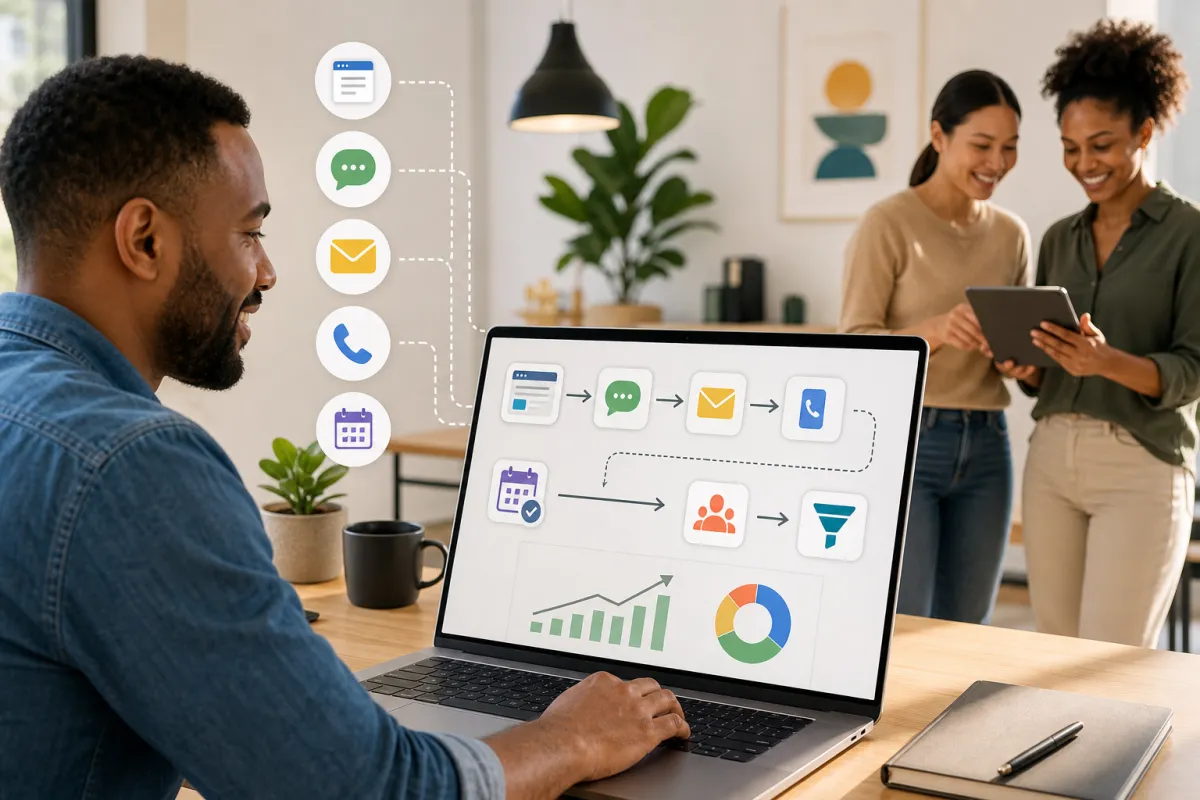
You’re juggling emails, DMs, and calls—yet hot leads still slip through. The fix isn’t more tools; it’s the right starting sequence. If you’re evaluating marketing automation for small businesses, begin with four essentials: capture every inquiry, follow up quickly, make booking effortless, and track outcomes you can act on.
This guide shows a practical marketing automation setup for small businesses you can roll out in sensible stages—keeping things simple, human, and focused on conversions.
Why manual follow-up drains leads and revenue
Most teams don’t lack interest—they lack timely response. Leads arrive from ads, forms, and referrals but live in different places. Without a clear next step, opportunities stall and no-shows creep up. A lightweight system that captures inquiries and responds fast changes the math.
A four-step framework to launch your small business marketing automation
- Capture and centralize every lead
- Use a clean, short form on key pages to reduce friction. If you use social lead forms, start automations with supported triggers in your account or import those leads into your CRM, then run the same follow-up.
- Tag leads by source in your system so you can see which channels drive conversations and bookings.
- Follow up quickly with a friendly first touch
- Send an immediate, helpful reply via email or SMS acknowledging the inquiry and offering the next step.
- Ask one clear qualifying question (timing, budget, or service need) so your team can prioritize and personalize.
- Make booking effortless
- Offer self-serve appointment booking. With Kalingo, you can use the AI Appointment Booking workflow action to suggest available time slots, handle responses, and confirm bookings automatically—reducing back-and-forth.
- Track outcomes you can act on
- Use a simple set of stages in your CRM such as New Lead → Contacted → Qualified → Booked → Won/Lost.
- Review progress weekly and adjust messaging, questions, or offers based on where leads stall.
Examples you can adapt
- Home services: A form captures ZIP and service type. An instant SMS and email confirm receipt and offer to book. Kalingo’s AI Appointment Booking suggests open windows and confirms the visit.
- Clinics and health practices: New patient inquiries receive a friendly confirmation and the option to choose a time. The AI assistant proposes available slots and handles confirmations so your front desk can focus on in-office care.
- Consultants and agencies: A lead magnet form starts a short nurture sequence (welcome note, case study, invitation to book). High-intent replies are guided to a discovery call using AI Appointment Booking.
How Kalingo helps you implement this
Kalingo is an all-in-one marketing platform for small businesses. It provides workflows and AI Appointment Booking to help you capture inquiries and move them to confirmed appointments efficiently.
- Workflows and triggers: Kick off timely follow-up with supported triggers in your account to start conversations the moment new leads arrive.
- AI Appointment Booking: Suggests available time slots, handles back-and-forth responses, and confirms bookings automatically—so more leads become appointments.
- Affiliate operations (if applicable): Use Affiliate Manager workflow actions to add contacts to your affiliates list, update their status (active/inactive), and add or remove them from campaigns. An Affiliate Created trigger can start automations the moment a new affiliate is added.
Common mistakes to avoid
- Automating everything at once: Launch the core path first: capture → quick reply → booking → outcome tracking.
- Overlong messages: Keep copy short, personal, and action-oriented. One question, one next step.
- Unclear ownership: Make it obvious who follows up when a contact replies.
- Skipping consent: Use clear opt-in language and honor preferences. If you publish funnels or websites with Kalingo, you can configure a cookie consent banner to help manage user consent for cookies.
Summary and next steps
Marketing automation for small businesses works best when it’s simple and focused: capture every inquiry, respond quickly, make booking easy, and track what happens. This is your foundational marketing automation setup. As you add business automation tools, keep the buyer’s next step clear.
Ready to put this into action? Try Kalingo, book a demo, or request a setup call to map your first workflows and activate AI Appointment Booking.
Recommended next reads
- Email Marketing Automation: 5 Campaigns Every Small Business Should Use
- Automated Lead Follow-Up: 7 Workflows That Turn More Enquiries Into Customers
- Missed Call Text Back: The Simple Automation Service Businesses Need
Ready to compare options? View Kalingo pricing plans and choose the setup that fits your next growth move.
Frequently asked questions
What should a small business automate first in marketing?
Start with lead capture on your key pages, fast email/SMS follow-up, easy appointment booking, and basic outcome tracking. This sequence improves speed-to-lead and conversion.
Can Kalingo help with appointment scheduling?
Yes. Kalingo’s AI Appointment Booking workflow action can suggest available time slots, handle responses, and confirm bookings automatically.
Can I trigger automations from social lead forms?
You can start automations from supported lead sources in your account. If a source isn’t directly supported, import the leads and run the same follow-up sequence. Ensure you have consent for the channels you use.
What if my leads come from other sources?
Export or collect them from your source and add them to your CRM or workflow, then start the same follow-up and booking sequence. Ensure you have consent for the channels you use.
Do I need a CRM to run automation effectively?
Yes. A CRM centralizes contact data and activity so your automations can be timely and relevant. Kalingo supports contact management and workflows to help you stay organized.