
Missed Call Text Back: Simple Automation for Service Teams
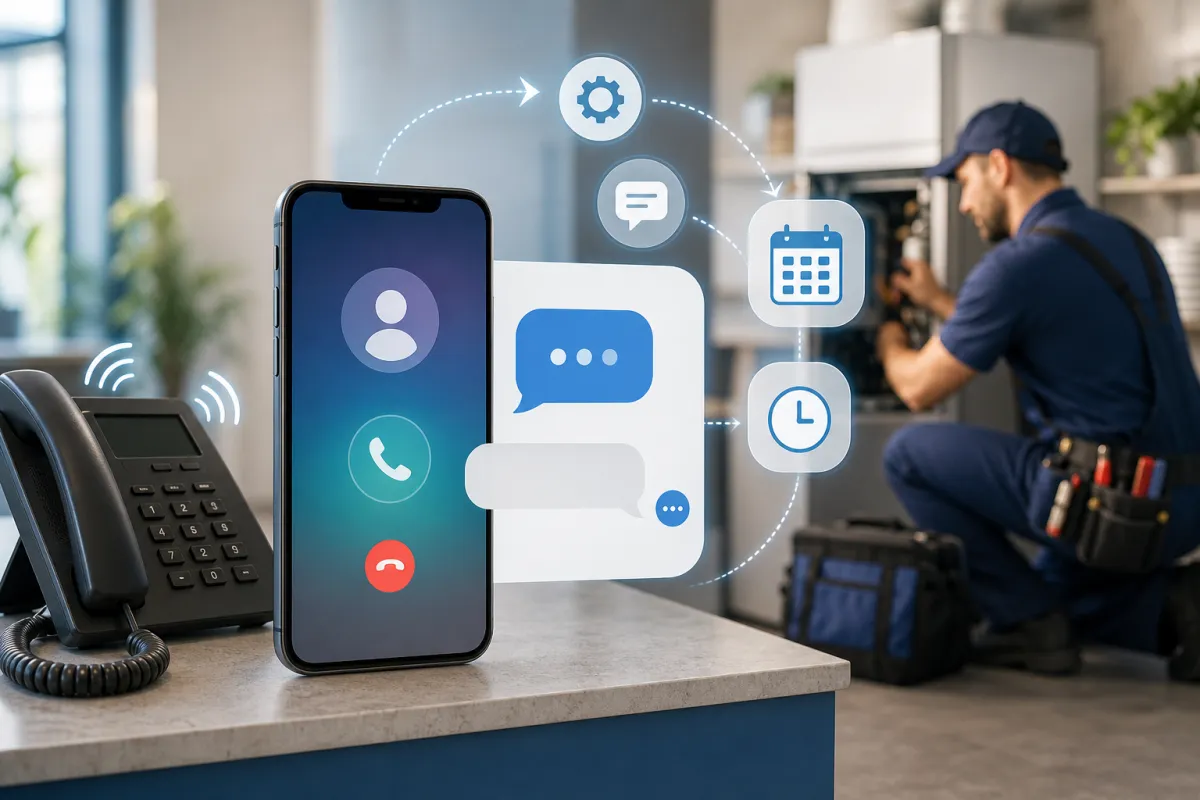
Your phone rings while you’re on a job, you glance at it, and – silence. Somewhere out there, a ready-to-book customer just slid into voicemail limbo. A missed call text back changes that. It’s a simple, effective way to send an automatic text back after a missed call so you acknowledge the caller, set expectations, and give a clear next step.
This guide explains why missed call automation matters for service businesses, how to craft a message that earns replies, practical examples, and how Kalingo helps you turn service business phone leads into booked appointments without adding busywork.
Why Missed Calls Cost You Work
People call when they’re ready to act. If they hit voicemail, many won’t leave a message. They move on. Even when you return calls, it often turns into phone tag. An automatic text back keeps the conversation alive, meeting prospects where they already are — their messages — and guiding them to book or request a callback.
A Simple Missed Call Text Back Framework
- Define the trigger and timing: Trigger your automatic text back when a call is missed. Send your message promptly so the caller knows you saw their attempt to reach you. Many teams use one version during business hours and a different one after-hours.
- Write a first message that does a job: Keep it short, human, and clear. Acknowledge the call, say how you can help, provide one next step (book online or request a callback), and include an opt-out line such as “Reply STOP to opt out.”
- Ask only for what’s essential: If you need details to help (service type, preferred time, or zip code), ask one question at a time or point them to a booking link. Avoid turning the first text into a long form.
- Measure and improve: Review responses and bookings, test small copy changes, and keep what works. Simple, consistent follow-up wins.
Starter message ideas:
1) “Sorry we missed you! This is [Business]. Want to book now or get a quick callback? Book: [short link]. Reply C for a callback. Reply STOP to opt out.”
2) “Thanks for calling [Business]. We can help with [service]. What day works best, or book instantly here: [short link]. Reply STOP to opt out.”
3) After-hours: “We’re closed right now but checking messages first thing at [time]. To save a spot, book here: [short link]. Reply STOP to opt out.”
Examples You Can Borrow
Home Services (Plumber): “This is CityFlow Plumbing. Is this about a leak or a new install? You can also pick a time here: [short link]. Reply STOP to opt out.” Your team can review replies and call back accordingly.
Med Spa / Clinic: “Thanks for calling GlowMed Spa. Want Botox, a facial, or a consult? You can choose a time here: [short link]. We’ll follow up soon. Reply STOP to opt out.”
Auto Repair: “River Auto here — sorry we missed you. Need an estimate or to schedule service? Book a visit: [short link], or reply with your vehicle and issue. Reply STOP to opt out.”
Marketing Agency / Consultant: “Thanks for calling BrightPath Agency. Want to set up a quick intro? Book a time: [short link], or reply with questions. Reply STOP to opt out.”
How Kalingo Helps
- Built-in missed call text back: Kalingo offers a missed-call-text-back feature that can automatically send a text message after a missed call so you can connect with clients or prospects promptly.
- All-in-one context: Manage contacts, messages, and follow-ups in one place, alongside your CRM and calendars.
- Phone numbers when you need them: Purchasing a phone number in Kalingo enables two-way SMS and calling inside the platform. Numbers are managed at the sub-account level.
- Easy booking options: Share your calendar link in the first message, or use Kalingo’s AI Appointment Booking workflow to automate scheduling conversations and confirm bookings.
Quick Setup Checklist
- Purchase a business phone number in Kalingo so you can send and receive calls and texts. From your sub-account, click Settings, select Phone Numbers under Business Services, then click + Add Number and choose Add Phone Number.
- Enable the default Missed-Call-Text-Back feature in your sub-account settings and choose a concise, helpful message.
- Prepare an after-hours message you can switch to outside business hours to set expectations and share your booking link.
- Include clear opt-out language in every message.
- Test with a real missed call and confirm the message reads well on mobile.
Common Mistakes to Avoid
- No clear next step: “Sorry we missed you” is not enough. Offer a booking link or a callback choice.
- Over-explaining: Keep it short. One job per message.
- Skipping opt-out language: Always include an easy way to opt out.
- Same tone 24/7: Use a different message after-hours to set expectations.
- Not reviewing results: Check replies and bookings regularly and refine your copy.
Summary and Next Steps
A missed call text back is simple, fast, and effective. It turns missed calls into conversations and helps more people book without phone tag. Kalingo brings your messaging, CRM, and scheduling together so you can move quickly when leads have the highest intent.
Ready to capture more from every call? Try Kalingo, start a trial, book a demo, or request a setup call.
Recommended next reads
- Automated Lead Follow-Up: 7 Workflows That Turn More Enquiries Into Customers
- Marketing Automation for Small Businesses: What to Set Up First
- CRM for Small Businesses: How to Stop Losing Leads in the Follow-Up Gap
Ready to compare options? View Kalingo pricing plans and choose the setup that fits your next growth move.
Frequently Asked Questions
What is a missed call text back and how does it work?
It’s an automated message sent promptly after you miss a call. The text acknowledges the call, provides a helpful next step (like a booking link or callback option), and keeps the conversation moving. In Kalingo, you can enable a default missed-call-text-back so callers receive a timely response.
Is automatic text back legal and compliant?
When used appropriately, it can be part of a compliant communication program. Send messages related to the caller’s inquiry, include clear opt-out language (e.g., “Reply STOP to opt out”), and respect recipient preferences. Check regulations that apply to your business.
Can I tailor messages?
Yes. Many teams use one message during business hours and a different after-hours version to set expectations and share self-serve booking options.
Do I need a special phone number?
You can purchase a phone number in Kalingo to send and receive calls and texts directly from the platform. Phone numbers are managed at the sub-account level.
How does this connect to booking?
You can include a booking link in your first message. Kalingo also offers an AI Appointment Booking workflow that can automate scheduling conversations and confirm bookings, helping you reduce back-and-forth.
How do I know if it’s working?
Monitor reply volume, bookings, and successful callbacks. Review your messages regularly and make small, consistent improvements.